
The e-campus Police platform does not have its own password system. Authentication relies entirely on Calypsso, the SSO portal of the Ministry of the Interior, which centralizes access to several internal services. Understanding this mechanism is the first step to resolving a login issue, as most agents tend to look for solutions in the wrong place.
Calypsso Authentication: The Mechanism Behind e-campus Police
When an agent clicks the login button for e-campus Police, the page redirects to the address auth.sso.police.interieur.gouv.fr. It is this server that verifies identity, not e-campus itself. The username/password pair used is that of the ministerial account, linked to an @interieur.gouv.fr address.
This so-called SSO (Single Sign-On) architecture means that the same password opens e-campus, professional email, and other internal services. Changing this password in Calypsso immediately impacts all these accesses simultaneously.
The Calypsso login button is reserved for accounts linked to an @interieur.gouv.fr address: on-duty agents, administrative staff, interns. External candidates or public profiles do not have this access, which often leads to confusion. An article detailing solutions for e-campus Police login helps distinguish these cases before any technical manipulation.
Forgot Password on e-campus Police: Resetting Through Calypsso
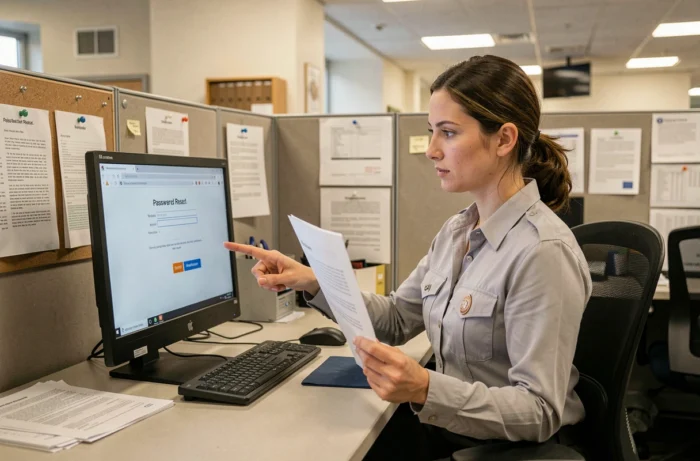
Searching for a “forgot password” link on the e-campus homepage is pointless. The reset must be done on the Calypsso portal, directly from the SSO authentication page. The form requires the ministerial username or the @interieur.gouv.fr address associated with the account.
After submission, a reset email is sent to the professional email. If this email is itself inaccessible (since it depends on the same password), the situation becomes complicated. In this case, contacting the local IT service of the assignment department remains the only quick way to resolve the issue.
Delay and Absence of Email
The absence of a reset email can have several possible causes:
- The entered address does not exactly match the one recorded in the ministerial directory (typo, outdated former name).
- The email arrives in the spam folder of the professional email, which is rare on internal servers but not impossible after a technical migration.
- The account has been deactivated due to a transfer, a change of assignment, or a prolonged period of inactivity, preventing any self-service reset.
In each of these cases, contacting the local IT referent of the department or police station is the preferred approach.
e-campus Account Lockout: The Cache Password Trap
A common scenario among agents who change their Calypsso password is that the old password remains stored in the browser or on another device. With each automatic reconnection attempt, the browser sends the old password, triggering a temporary account lockout after several failures.
This lockout is not specific to e-campus. It simultaneously affects all services that go through Calypsso, including email.
Delete Saved Passwords
Before changing the Calypsso password, it is essential to identify all devices and browsers that have saved the old one. The procedure varies by browser:
- On Chromium-based browsers (Edge, Chrome), access the saved password settings and delete the entry corresponding to auth.sso.police.interieur.gouv.fr.
- On Firefox, open the password manager in the privacy settings and search for the authentication URL.
- On shared workstations in police stations, ensure that the Windows session does not retain credentials via the Windows Credential Manager (accessible from the control panel).
Deleting these entries before changing the password avoids the vicious cycle: new password set, old password sent automatically, account locked, unlocking needed.
Contacting IT Support: Which Service and Through Which Channel
The first-level support for access issues to e-campus Police is not a centralized helpdesk accessible by phone from anywhere. The local IT referent of the assignment department is the primary point of contact. This referent has the necessary rights to check the account status in the ministerial directory, unlock a lockout, or restart the access creation process.
For interns at the police school who have not yet received their credentials, the distribution of e-campus access depends on the encoding of the administrative file. A delay in data entry by the school’s secretariat postpones the automatic account creation. Directly following up with the secretariat of the assigned ENP speeds up resolution.
Agents in transfer may also experience a latency period between the effective start of their position and the update of their affiliation in the directory. As long as the new service has not validated the assignment, some training modules remain inaccessible even with a functional password.
The majority of blockages on e-campus Police can be resolved without complex technical intervention. Identifying that the problem lies with Calypsso (and not e-campus), purging saved passwords, and contacting the right IT person suffice in almost all cases. Keeping in mind that each Calypsso password change affects all ministerial services helps avoid reproducing the same blockage a few weeks later.