
MyArkevia is a digital safe designed to store the dematerialized pay slips of employees. The documents deposited by the employer remain accessible even after leaving the company, provided that the account was properly set up upon activation. Retrieving old pay slips on this platform relies on a few technical prerequisites that are best known in advance.
Personal email and MyArkevia account activation: the often overlooked prerequisite
The most crucial point for maintaining lasting access to pay slips on MyArkevia is not the password, but the personal email address registered at activation. As long as the employee is in position, access often goes through the professional email. The problem arises after the end of the employment contract: the professional address is deactivated, and the password recovery procedure becomes unusable.
To access MyArkevia pay slip without relying on the former employer, registering a personal email upon first login is the only truly effective precaution. This step is done in the account settings, under “personal information.”
If this modification was not made before departure, the situation becomes complicated. One must then contact MyArkevia support, justifying their identity to request reassociation of the account to a new address. This process can take several days.
Logging into MyArkevia to view old pay slips
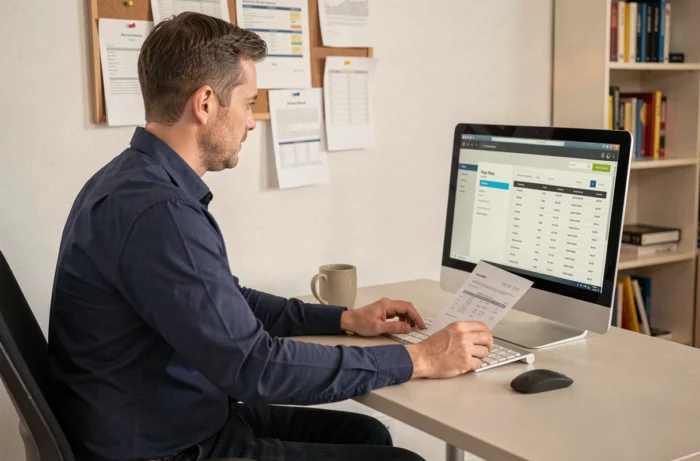
The platform is accessible from the site myarkevia.com. The homepage offers a login button that leads to the employee’s personal space. The identifier corresponds to the email address associated with the account (personal or professional depending on the initial setup).
Once logged in, the pay slips appear sorted by employer and date. Each document remains downloadable in PDF format, allowing them to be saved locally or sent to a third party (bank, administration, landlord).
In case of forgetting the password, the reset procedure sends a link to the registered email. This is precisely where the personal email becomes crucial: without access to the associated inbox, the reset fails.
What to do if the employer never activated the safe
Not all employers offer MyArkevia. The dematerialization of the pay slip has been the default mode since the Labor Law of 2016, but the choice of provider (Arkevia, Digiposte, PeopleDoc, or others) belongs to the company. If no digital safe has been set up, paper pay slips remain the only available version.
To find out which system has been used, the HR service of the former employer remains the first point of contact. The work certificate or the last pay slip sometimes mentions the name of the digital safe provider.
Retention period for pay slips on Arkevia
Documents are guaranteed to be available for 50 years, or until the employee turns 75. This duration applies even if the employer terminates their contract with Arkevia. The safe remains active and the files accessible regardless of the relationship between the company and the provider.
This guarantee distinguishes the digital safe from simple storage on a company intranet. On an intranet, documents disappear with the closure of the employee’s account. On MyArkevia, access survives the departure from the company because the account belongs to the employee, not the employer.
Right to oppose dematerialization
Since the implementing decree of the Labor Law, the employee retains the right to oppose the electronic delivery of the pay slip. This refusal must be made to the employer, who is then obliged to provide a paper version. Exercising this right does not eliminate an already active MyArkevia account but prevents the deposit of new dematerialized documents.
Checking the integrity of a pay slip downloaded from MyArkevia
A digital pay slip only has probative value if it has not been modified after deposit. MyArkevia uses a digital sealing system that guarantees the authenticity of the file. Specifically, each deposited document receives a digital fingerprint. If the file is altered afterward, the fingerprint no longer matches, and the document loses its value.
In case of a dispute with an employer or during a tax audit, this certification compliant with GDPR constitutes admissible evidence. The PDF downloaded from the safe retains this fingerprint, provided it is not modified (adding annotations, format conversion).
Steps to secure access to old pay slips
A few simple actions can help avoid losing access to documents when changing employers:
- Link a personal email address to the MyArkevia account upon first activation, and regularly check that this address is still functional.
- Download a local copy of the pay slips onto a hard drive or personal storage service, in addition to the digital safe.
- Keep track of the name of the safe provider used by each employer, especially if multiple companies have been worked for throughout the career.
- Test the connection to the account at least once a year to identify any potential access issues before they become urgent.
A pay slip can be requested years after the end of a contract, during a career reconstruction for retirement or for a mortgage application. Anticipating the question of access avoids relying on a former employer who may no longer have the archives.
The MyArkevia safe fulfills its role only if the account has been activated and configured correctly. The 50-year retention period offers no protection if the associated email address no longer exists.